
Kitchen Tools & Recipes · iPhone and iPad

Cups to grams, without the guesswork.

Kitchen charts that answer the question actually in front of you, and tools that do the tedious parts of cooking for you. The charts are free, with no account and no limit. There are no ads anywhere in the app.

Charts, your own recipes, widgets and shortcuts are free. Everything the app does

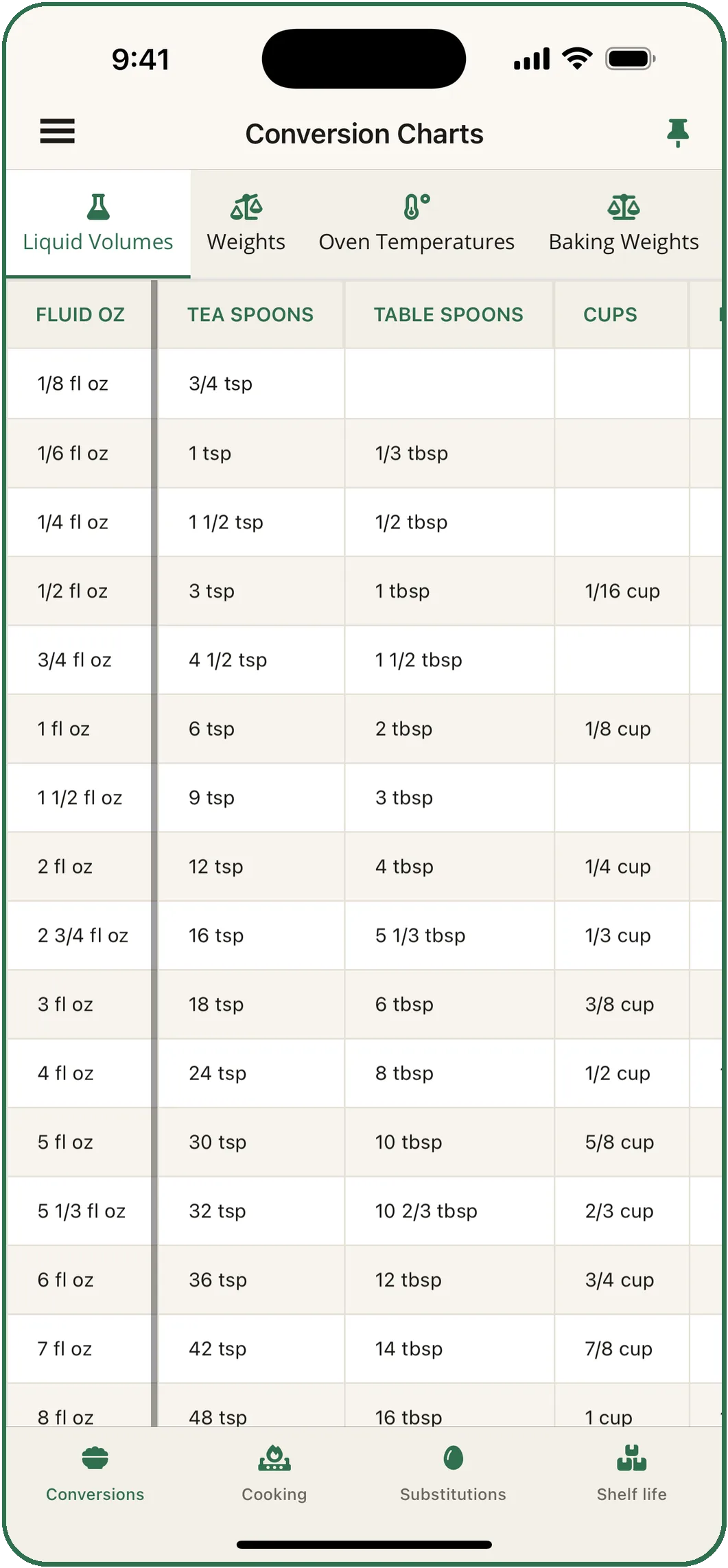
Conversion Charts on the Liquid Volumes tab: fluid ounces against teaspoons, tablespoons and cups, from 1/8 fl oz to 8 fl oz.
Baking weightsWhat one cup weighs
IngredientPer cupOunces
Flour, all-purpose120 g4.25 oz
Sugar, granulated200 g7 oz
Sugar, brown (packed)213 g7.5 oz
Butter227 g8 oz
Honey, syrup, molasses340 g12 oz
Cocoa powder85 g3 oz

Spoon flour into the cup and level it. Scooping packs in up to 20% more.

The charts · free, always

Four charts, every tab, no account.

Cups to grams and back, oven temperatures in Fahrenheit, Celsius and gas mark, safe temperatures for every cut, swaps that say where they fail, and how long food keeps. They work offline, and the first column stays put while you scroll.

  1. Conversion Charts

    Liquid volumes · Weights · Oven temperatures · Baking weights · Pan sizes

    A 9 in round cake tin holds 8 cups, the same as an 8 in square, so one swaps for the other.

  2. Cooking Charts

    Meats · Seafood · Fish & bones · Vegetables

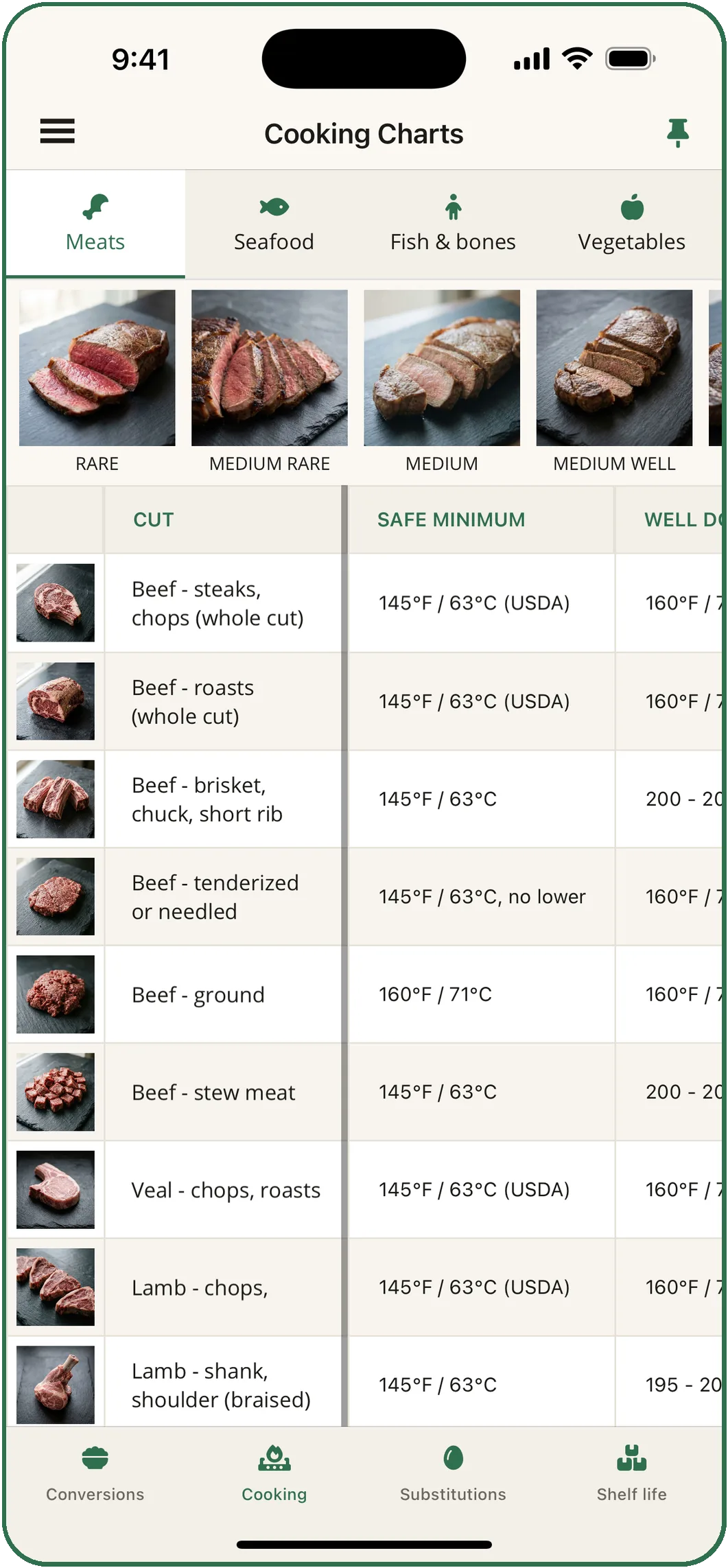
    The USDA puts a whole-cut steak at 145°F / 63°C with a 3-minute rest, and ground beef at 160°F / 71°C. The chart says why they differ.

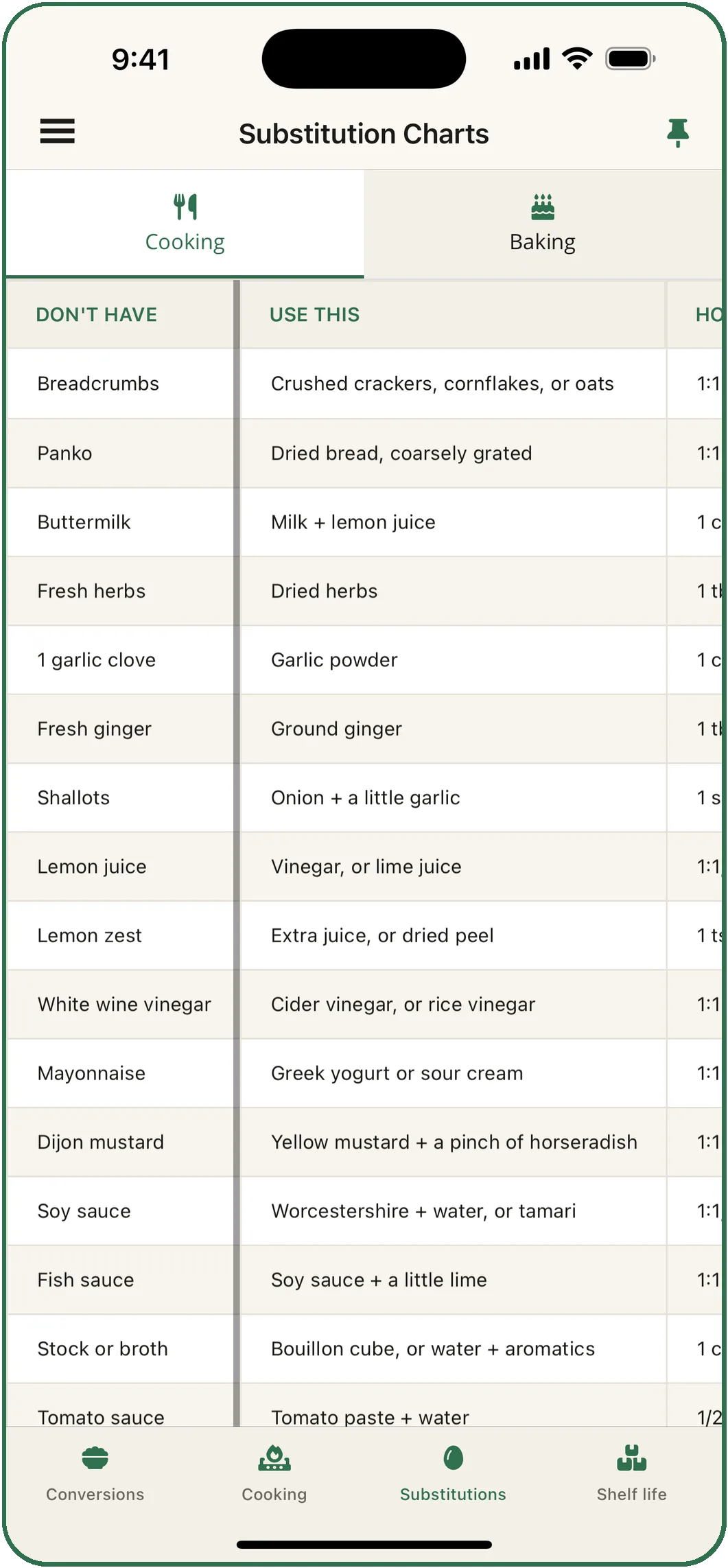
  3. Substitution Charts

    Cooking · Baking

    Out of baking soda? Three times as much baking powder, but not where the soda is there to brown or to cut acidity.

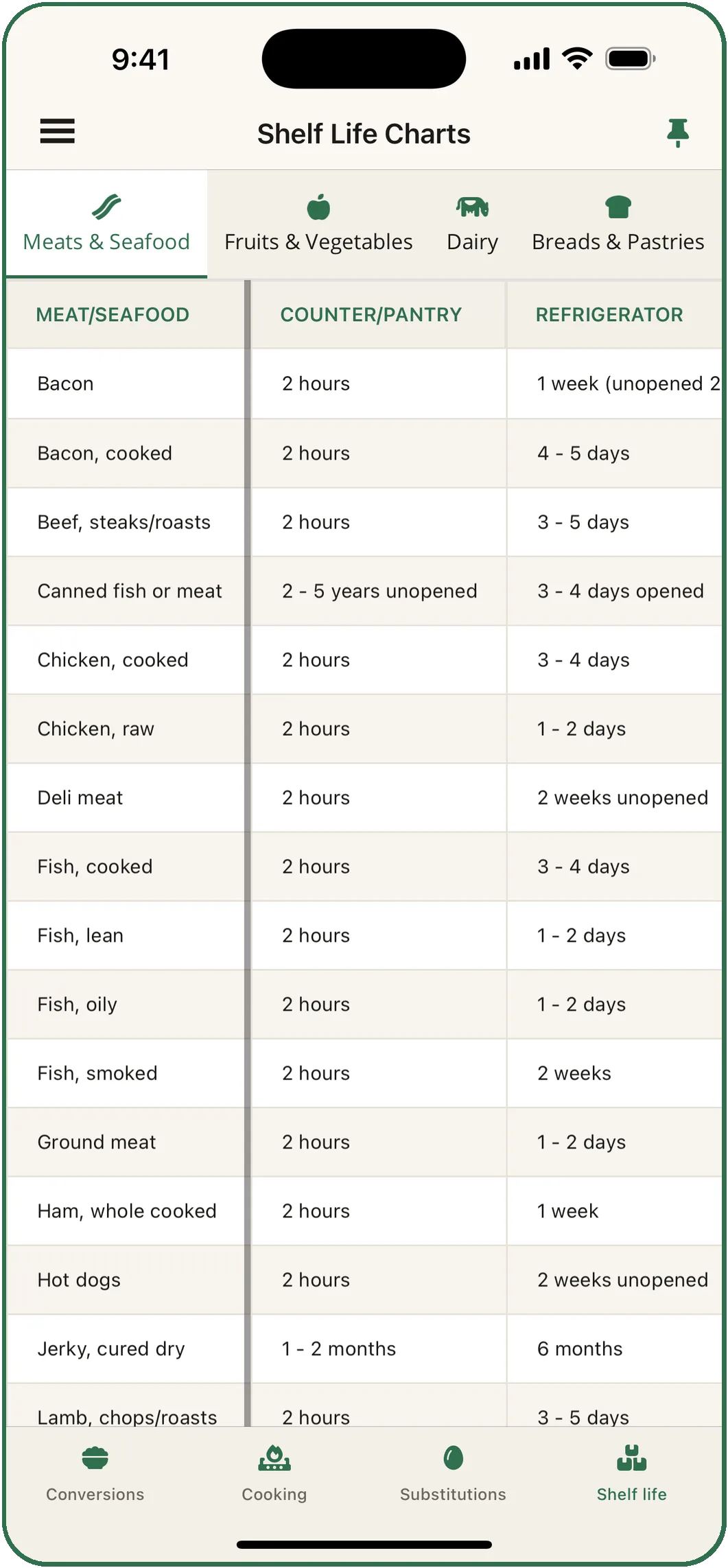
  4. Shelf Life Charts

    Meats & seafood · Fruits & vegetables · Dairy · Breads & pastries

    Bacon keeps only a month in the freezer, because the salt turns the fat rancid.

What is in each chart →

Cooking Charts on the Meats tab: photographs of beef from rare to medium well, then each cut with its safe minimum temperature.
Safe temperatures for every cut.Roasting times and doneness, in one place
My Recipes · free

Your recipes, scaled and converted.

  • Write recipes by hand, or edit any recipe after it has been read.
  • Scale a recipe to the number you are cooking for.
  • Switch it between metric and imperial, amounts and oven temperatures both, on the fractions your measuring cups are marked in.
  • Categories with filters, and search by name or ingredient.
  • Share by message, email or AirDrop. A new shelf starts with sixteen recipes.

More about My Recipes →

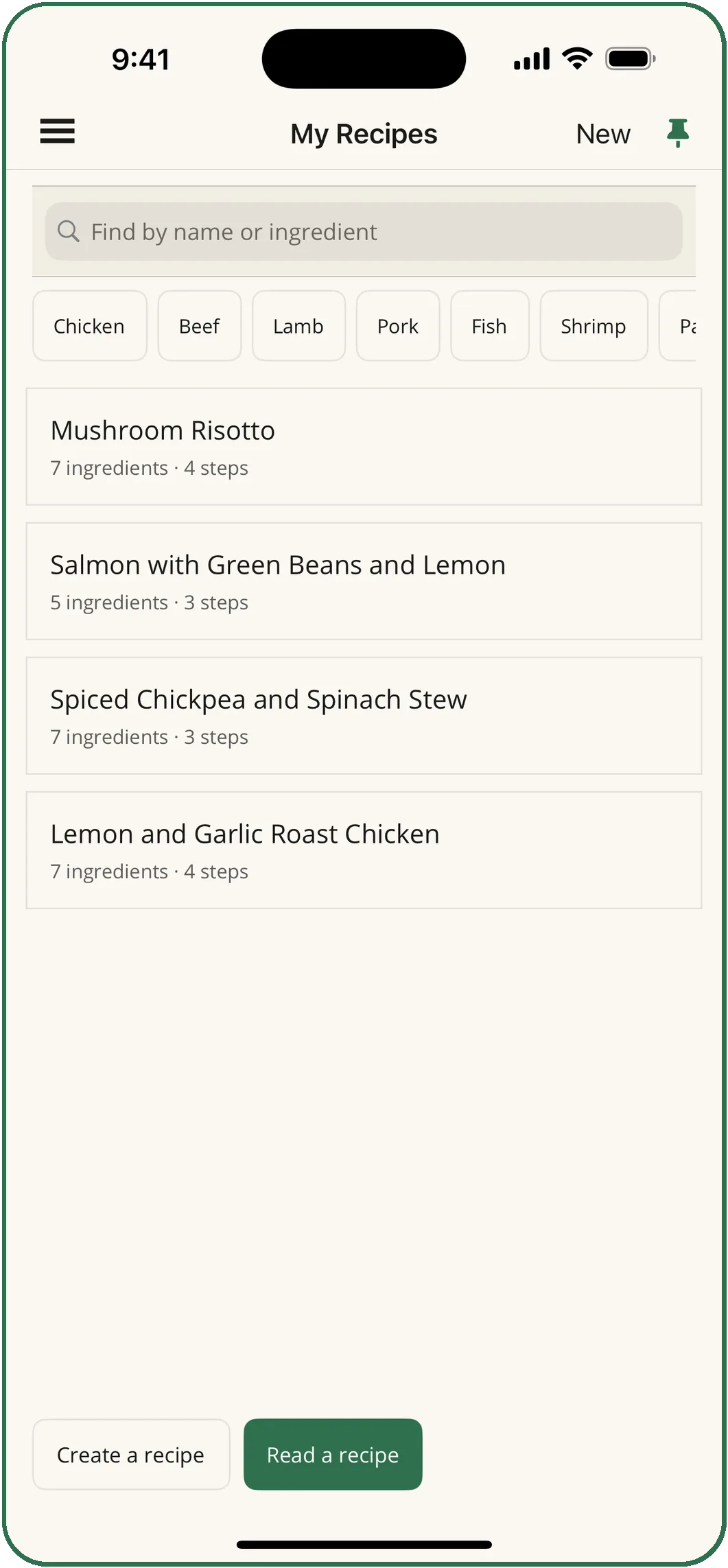
My Recipes: a search box, filters by main ingredient, and four saved recipes with their ingredient and step counts.
Your recipes, scaled and converted.Metric or imperial, on any recipe
Subscriptions · pay only for the one you use

Three tools for the tedious parts.

Reading a recipe off a photo, deciding what to cook with what you have, and planning the week with one shopping list. Each is its own subscription, by the week or the month, and the Everything plan covers all three.

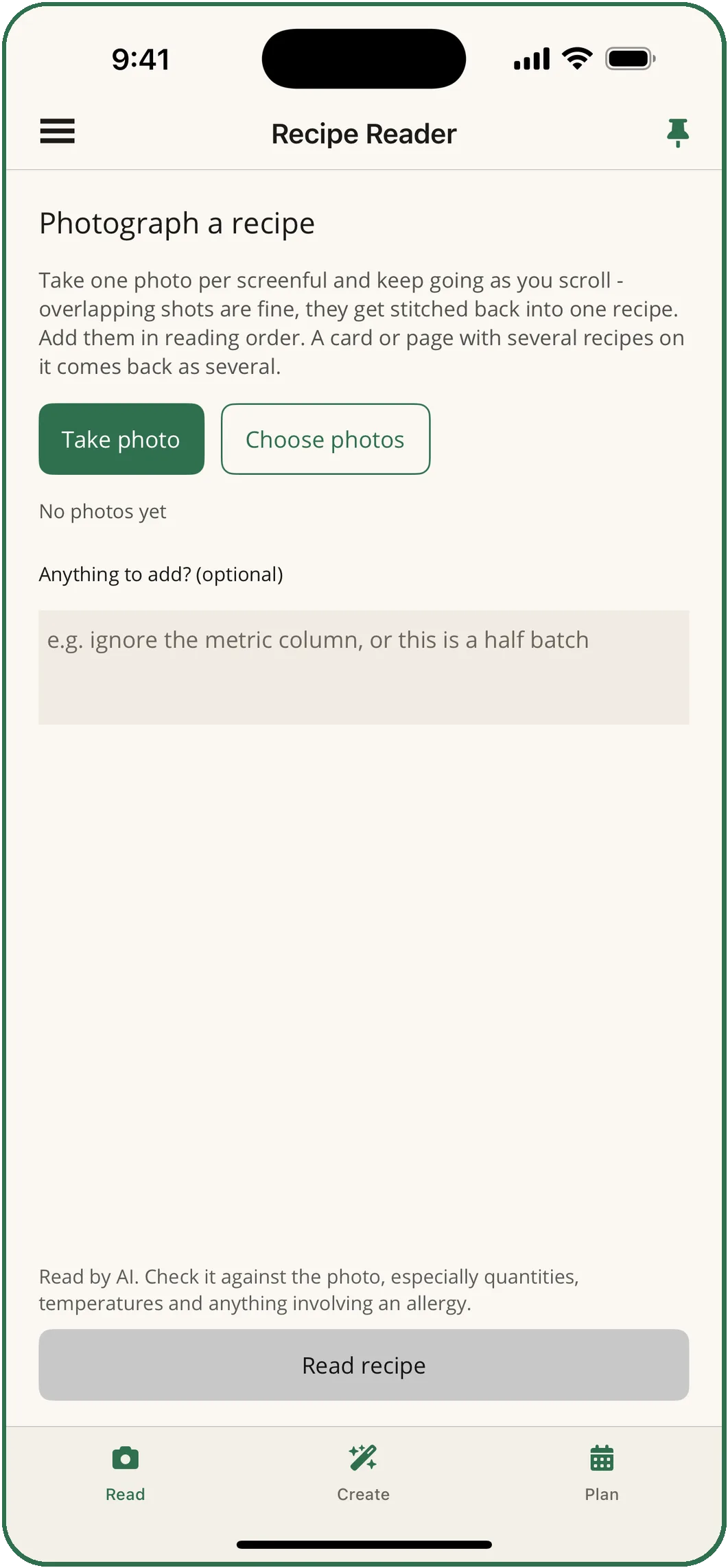
The Recipe Reader: Take photo and Choose photos buttons, a box for anything to add, and the note that the recipe is read by AI.
Recipe Reader

Photograph a recipe. Get it typed.

Photograph a recipe from a book, a card or a screen and get it back typed out: ingredients, steps and timings, ready to save, scale and convert. A web page that needs several screenshots comes back as one recipe.

From $2.99 a week or $5.99 a month, with a 3-day free trial on the monthly plan.

More about the Recipe Reader →
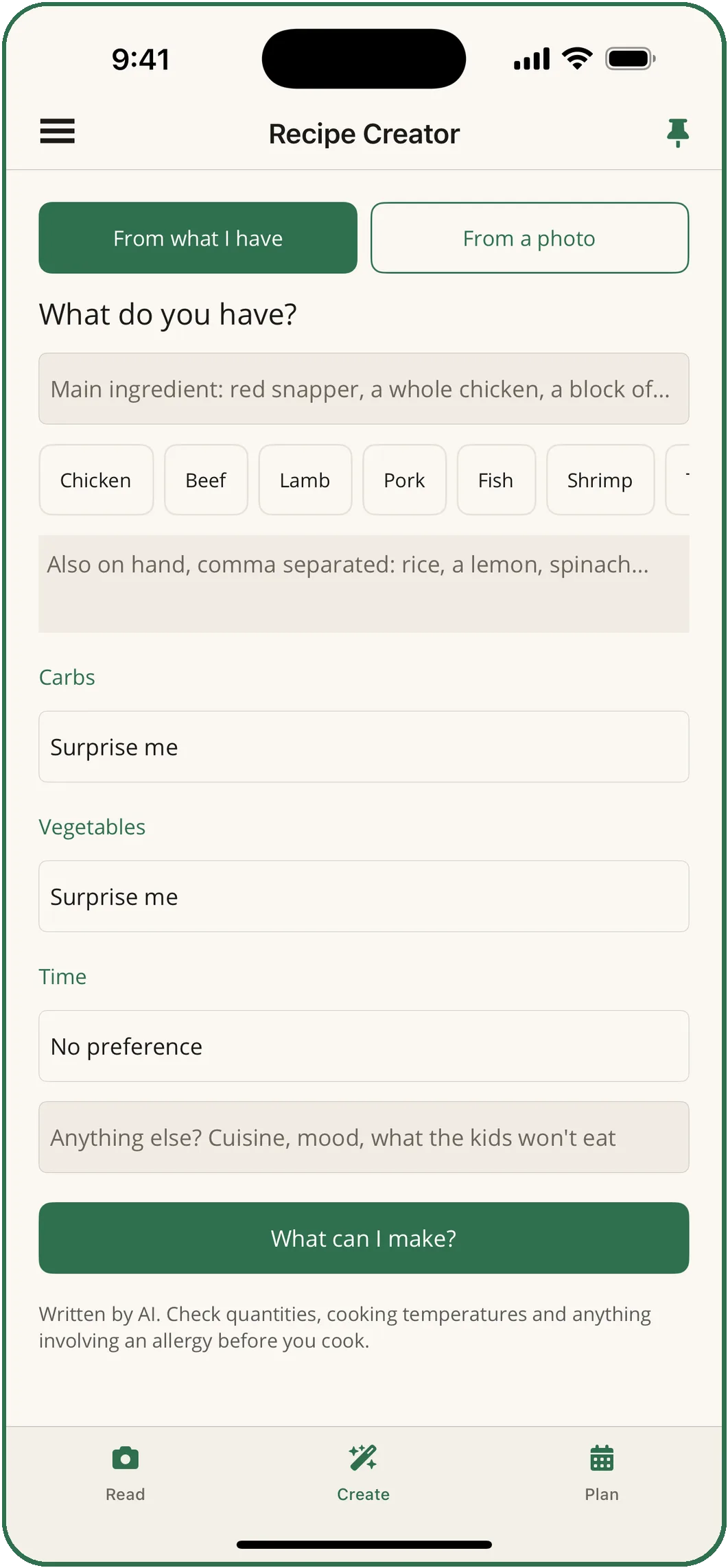
The Recipe Creator: a main ingredient, what else is on hand, carbs, vegetables and time, and a What can I make? button.
Recipe Creator

Say what you have. Get dinner.

Say what you have on hand, a main ingredient or everything left in the fridge, and get three dishes that fit. Pick one and it writes the whole recipe. It also works from a photograph of a dish you ate.

From $2.99 a week or $5.99 a month, with a 3-day free trial on the monthly plan.

More about the Recipe Creator →
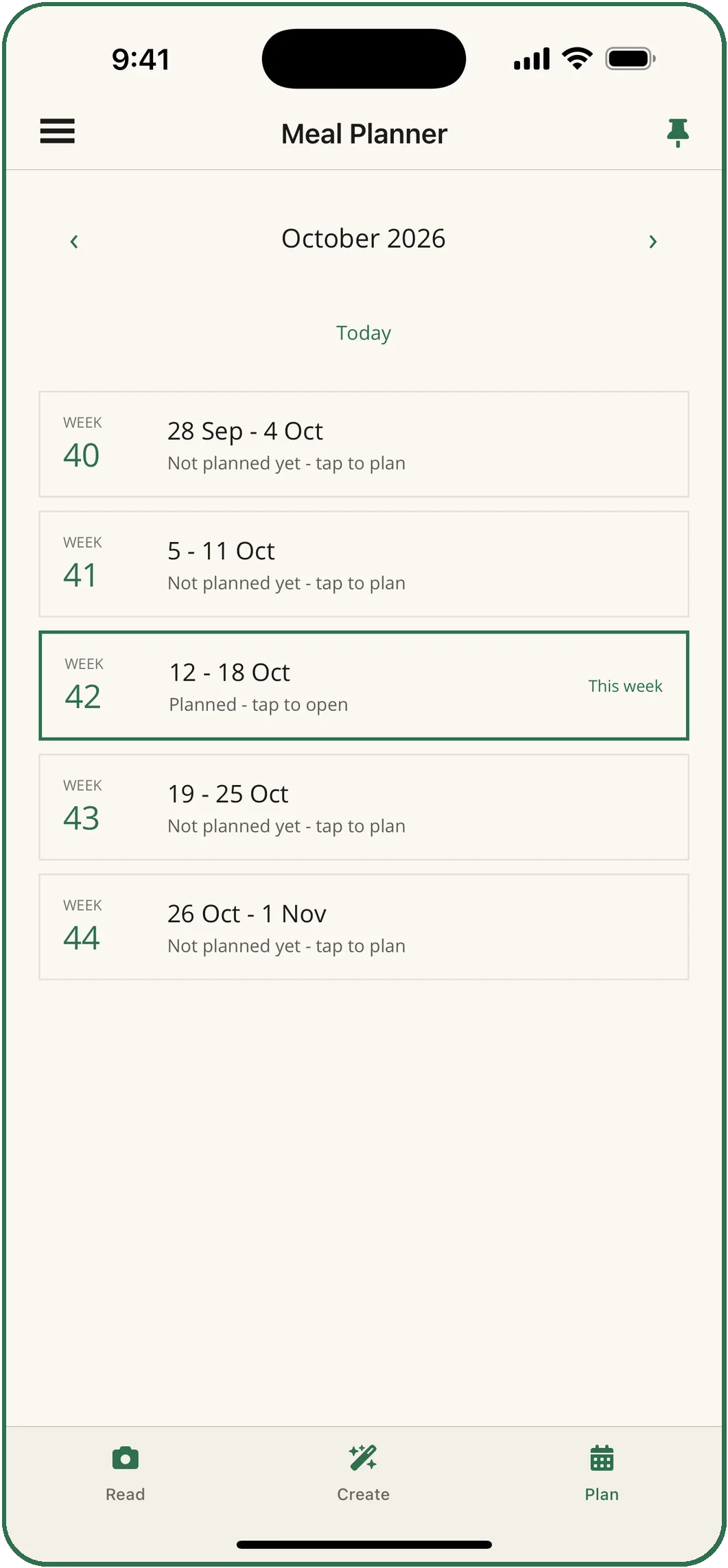
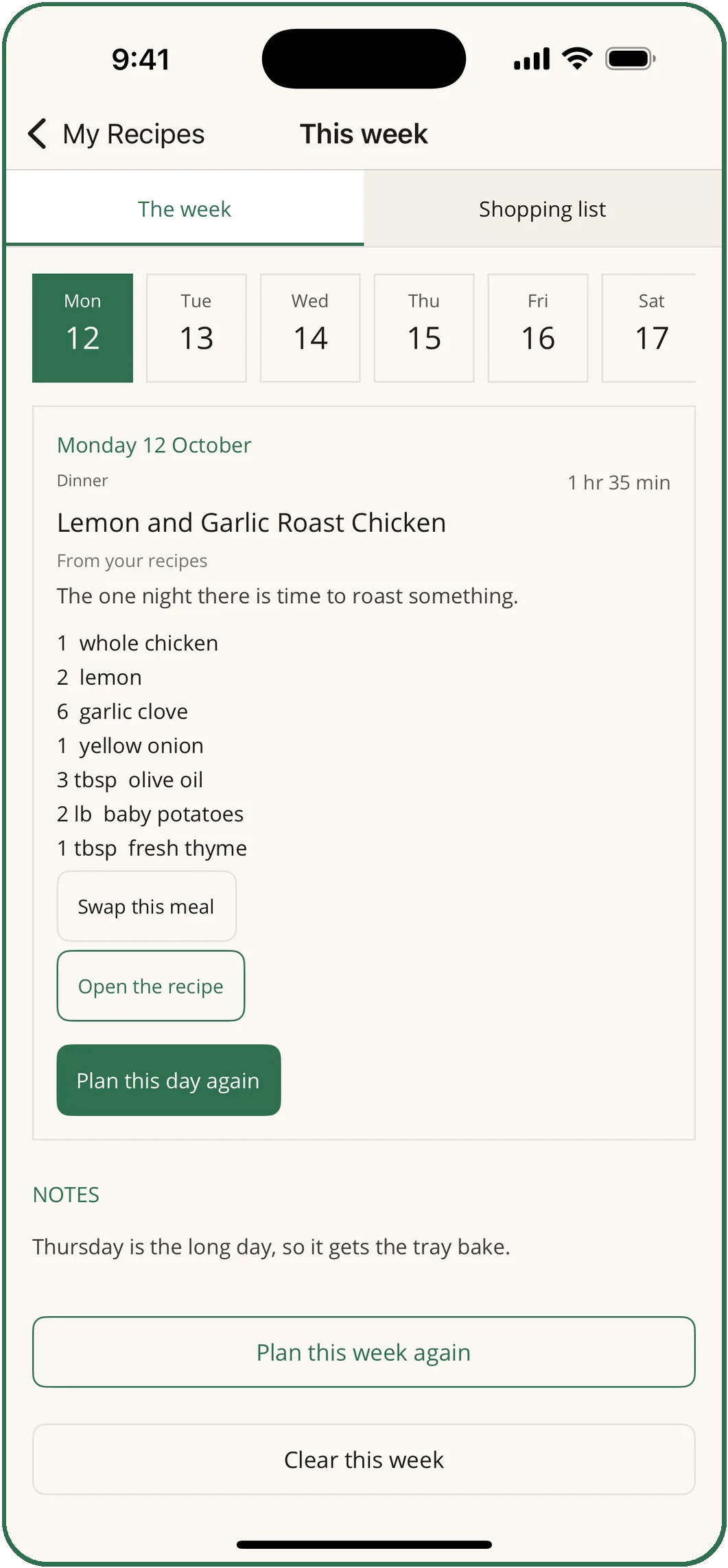
A planned week: Monday 12 October is Lemon and Garlic Roast Chicken from your recipes, with its ingredients and buttons to swap the meal or plan the day again.
Meal Planner

A week of dinners, planned.

A week of dinners built from the recipes you have saved, as a calendar where you can replan one night. Kids' menus and allergies shape the plan, and the shopping list adds the quantities up.

From $3.99 a week or $8.99 a month, with a 3-day free trial on the monthly plan.

More about the Meal Planner →

The Recipe Reader, the Recipe Creator and the Meal Planner use AI, and the app says so on each screen. Check quantities, temperatures and anything involving an allergy before you cook.

Widgets and shortcuts · free

Any chart or page, one tap from the Home Screen.

  • Kitchen charts, a Home Screen widget with the four charts side by side.
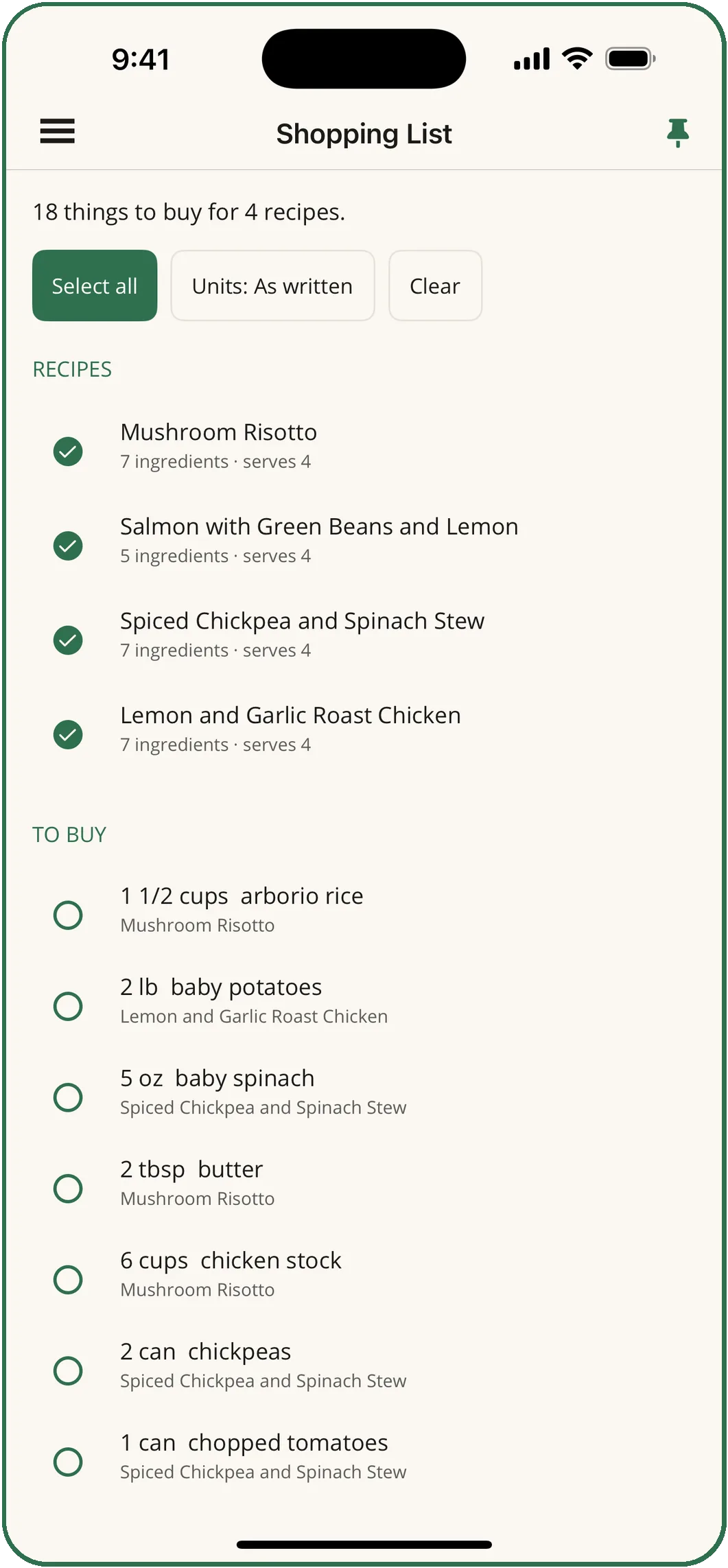
  • A widget for each page: My Recipes, the Shopping List, any chart, any tool. Or Any page, where you pick in Edit Widget.
  • Lock Screen widgets for the same pages.
  • A pin on every chart, My Recipes, the shopping list and each recipe puts that page on the app icon's press-and-hold menu, or gives it a phrase for Siri.
  • Settings can open the app on the page you use most.

How to add them →

ConversionsCookingSubstitutionsShelf life
My RecipesKitchen Tools
Shopping ListKitchen Tools
Meal Planner
In outline: Kitchen charts (medium), two page widgets (small) and two Lock Screen shapes. Widgets need iOS 17 or later.
Inside the app

Ten screens from the App Store listing.

What it costs

The charts are free. You pay only for the tool you use.

Free, with no account and no limit

  • All four charts, every tab, offline
  • Your own recipes, written by hand
  • Scaling a recipe, and switching it between metric and imperial
  • Sharing a recipe by message, email or AirDrop
  • Widgets, shortcuts and Siri phrases
  • No ads, anywhere in the app
Ads

None. No ad network, no tracking, nothing that reports what you tap.

Account

Not needed. Your recipes and plans stay on your device.

Languages

Five. English, Deutsch, Français, Español, Italiano. The app follows your phone, or the language you pick.

Devices

iPhone and iPad. The charts need no signal at all.

The charts are free. Start there.

Every chart and your own recipes cost nothing, with no account and no limit. Try a paid tool by the week, or take the monthly plan with three free days first.